Product
One case. Everything it needs.
VMx is built around a single connected record. Requests become cases, cases link to the people involved, evidence is analyzed in place, and the finished report is produced from your templates.
- 01LeadAn incoming request, reviewed and accepted by staff.
- 02Patient + ClientThe person evaluated and the requesting organization, reused across cases.
- 03CaseDates, statuses, files, forms, examination and work product.
- 04AI reviewSummaries, sourced chronology and narrative, checked by staff.
- 05ReportTemplate-driven work product exported to PDF.
02Leads, Patients, Clients
Three records that feed every case.
Who asked for the work, who the work is about, and how the request came in. VMx keeps each as a first-class record and connects them through the case.
Leads
Intake that is reviewed before it becomes work.
Consultation requests arrive from your website intake or are entered manually by staff. Each one waits in a reviewable queue until someone decides it is a real matter.
NewIn ReviewAcceptedRejected
- Review the requesting client, the patient and the matter details side by side; they stay connected but distinct.
- Before accepting, VMx surfaces existing client and patient records that may match, so you link to the right person instead of creating a duplicate.
- Acceptance creates a linked case and associates the existing or new client and patient in one step.
- A lead can only be accepted once, so the same request never turns into two cases.
- Supporting documents are uploaded on the case after acceptance, not through the public intake.
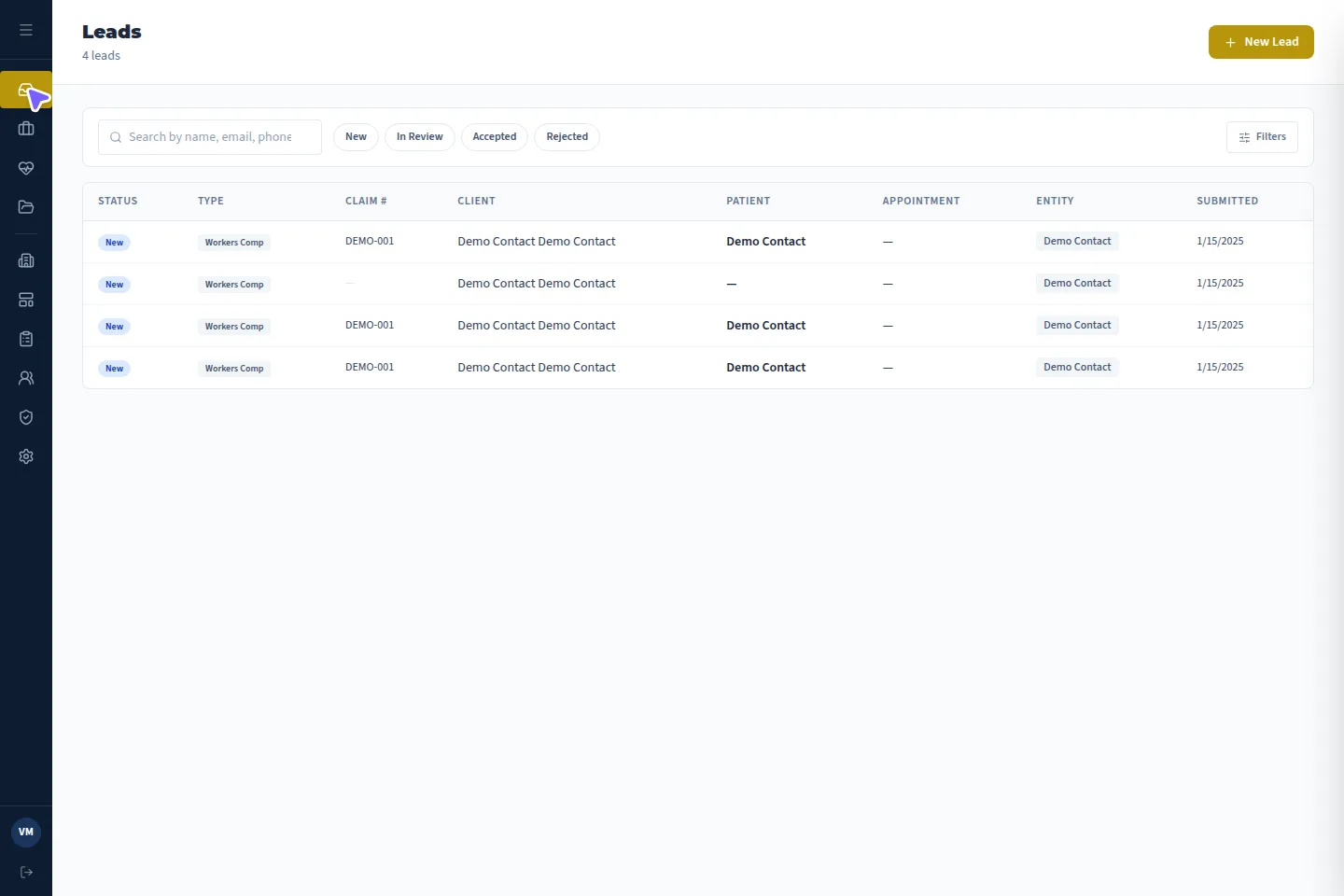
Leads · Actual application · demonstration details
Patients
The person being evaluated, kept as their own record.
A patient is not a line on a case. VMx keeps a dedicated record for each person, so repeat evaluations build on what you already know.
- First, middle and last name, date of birth and demographics.
- Phone and full address: Address, City, State and ZIP.
- Veteran indicator for organizations that need it.
- Every associated case listed on the patient, and openable from there.
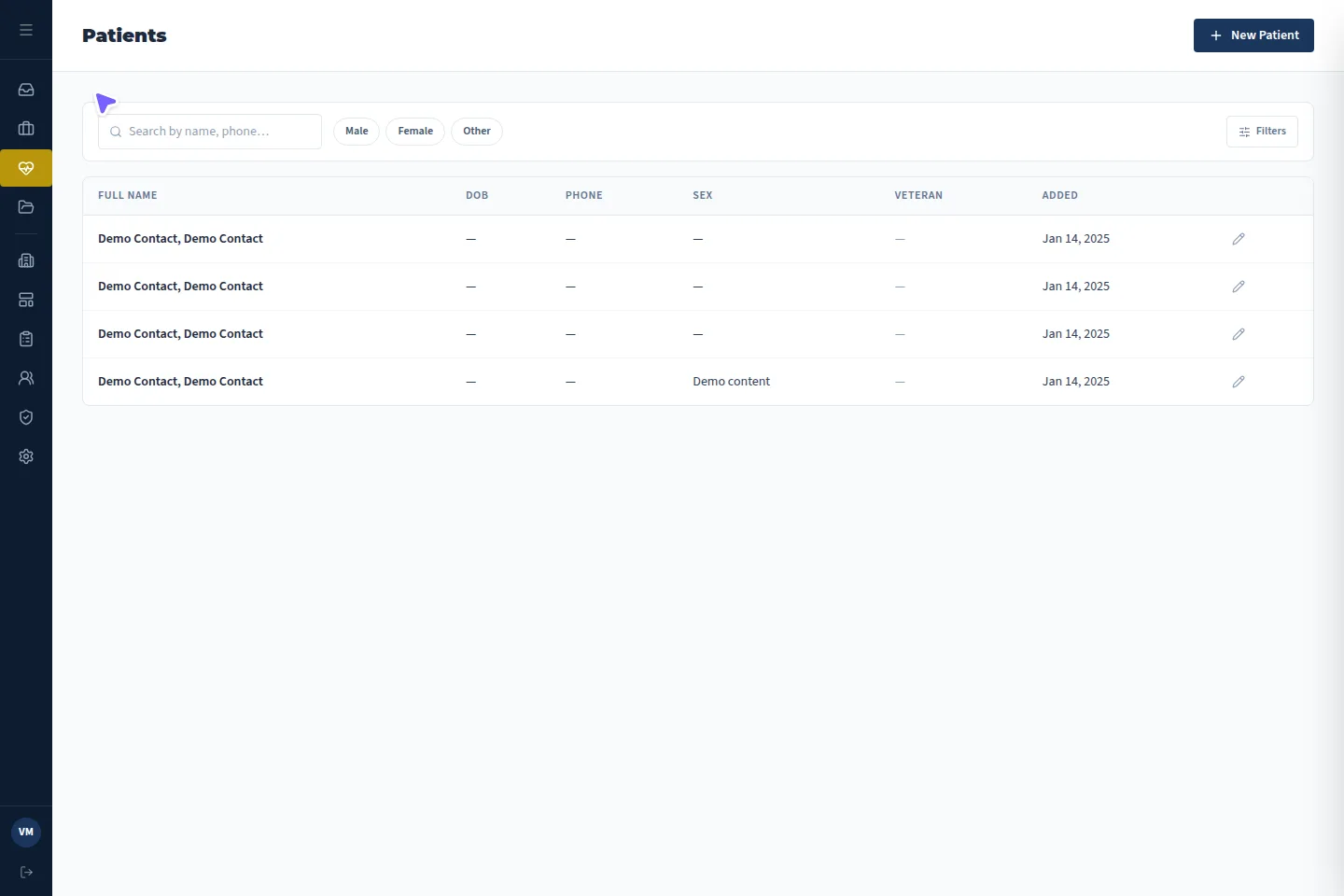
Patients · Actual application · demonstration details
Clients
The firms that send you work, and the history you share.
Clients are the requesting parties, such as a referring law firm or company. They are separate from patients, and one client relationship spans many cases.
- Contact name, law firm or company, email and phone.
- Address, city, state and ZIP for correspondence.
- Internal notes your team keeps about the relationship.
- All cases for that client in one place, from first referral to latest report.
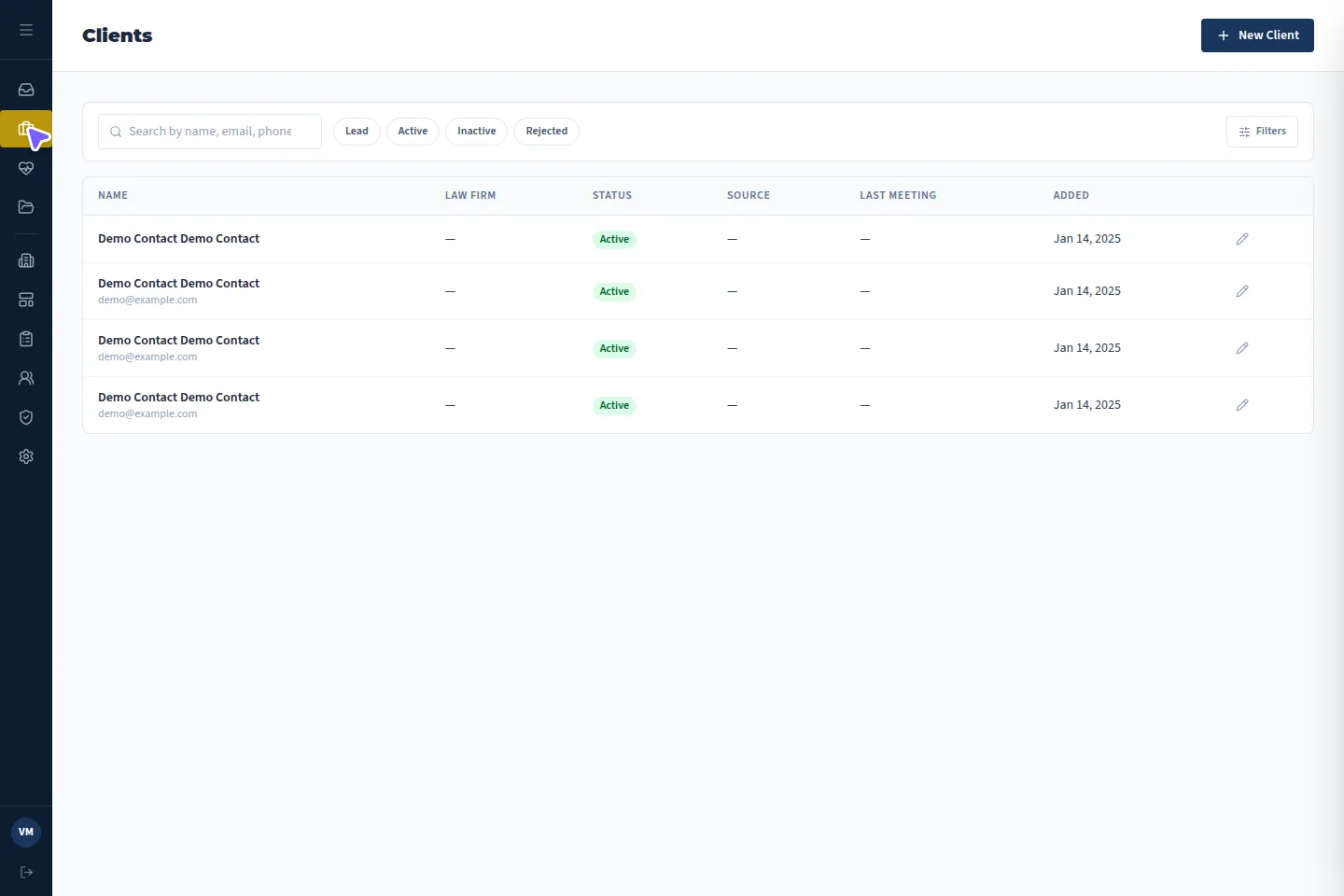
Clients · Actual application · demonstration details
03Cases · the center of VMx
The case is where the work actually happens.
Every case links one patient and one requesting client. From there it carries the records, the analysis, the examination, the report and the record of what happened, in eight purpose-built tabs.
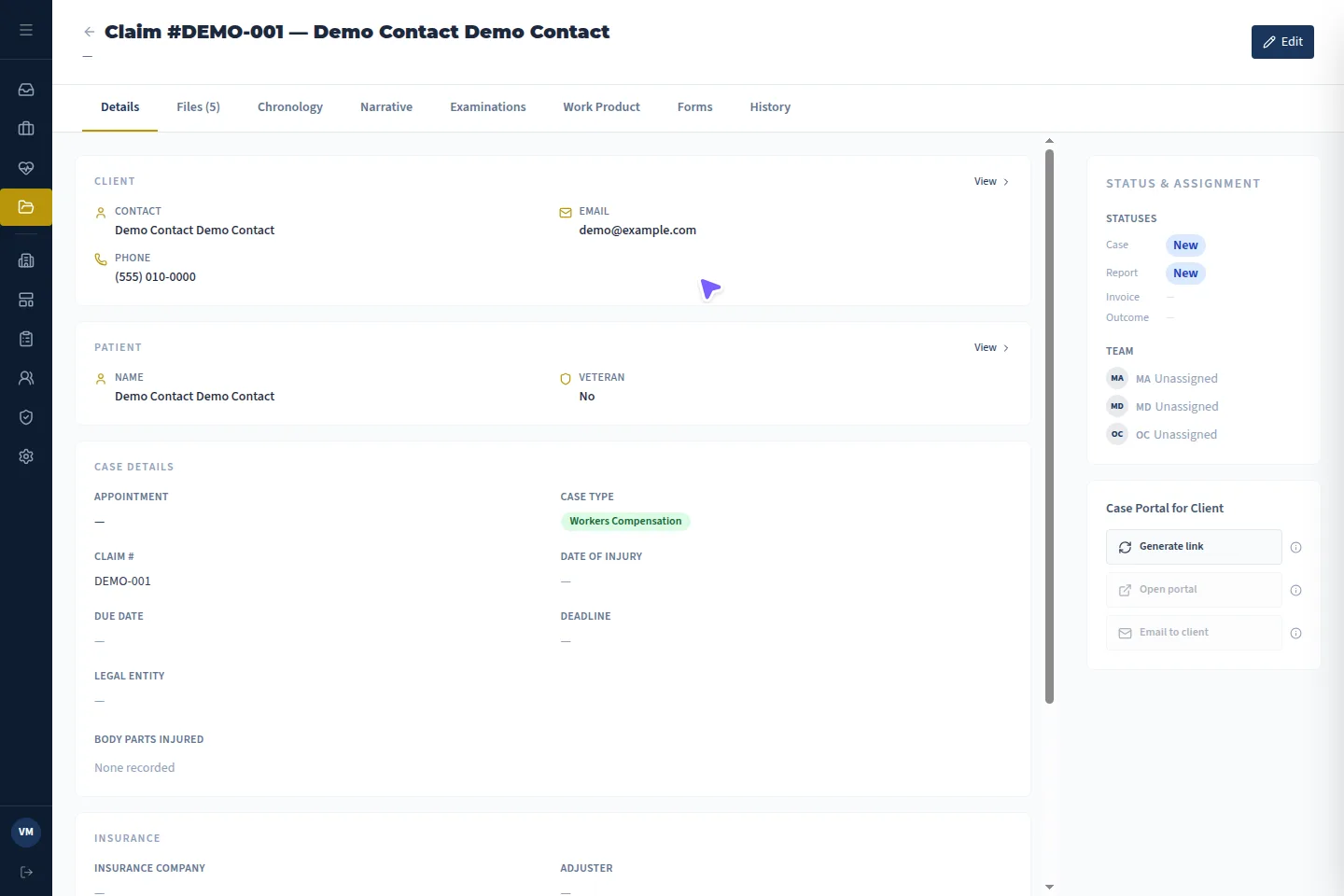
Case detail · Actual application · demonstration details
Built for PI and WC work
Personal Injury and Workers’ Compensation cases each get the identifier they need.
PI · Case #WC · Claim #
Status that tells the truth
A case can be in progress while its report is drafted and its invoice is still open. VMx tracks each separately.
Case statusReport statusInvoice statusOutcome
The right people, on the case
Assign the MD, MA and OC inside the case, once it is real work, not at intake.
MDMAOC
Eight tabs, one case
01 Details
Case type, Case # or Claim #, due date, injury details, assigned MD, MA and OC, and separately tracked case, report and invoice status plus outcome.
02 Files
Uploaded and Generated files kept apart. Staff upload directly or send an expiring client upload link. Split, merge and page counts for PDFs. Per-file Do Not Analyze.
03 Chronology
AI-extracted medical events from analyzed PDFs, each with date, category, supporting quote and source page for staff to check.
04 Narrative
A medical-legal narrative synthesized from analyzed document summaries, then reviewed, edited and saved by staff.
05 Examinations
Editable examination content started from reusable templates with merge fields and locked sections.
06 Work Product
The report itself, edited separately from the examination and exported to PDF, which is kept in Generated files.
07 Forms
The questionnaires that apply to this case type, with responses, completion and signatures.
08 History
A dedicated log of recorded events such as case creation, file uploads and status changes, showing who acted and when.
Files that are ready for review
Medical records arrive as large, messy PDFs. The Files tab is where they are organized before anyone reads them.
- Uploaded files and Generated files kept in separate lists.
- Staff upload directly; clients can send records through an expiring upload link.
- Split a bundle into parts, merge PDFs together, see page counts at a glance.
- Mark any file Do Not Analyze to keep it out of new AI analysis.
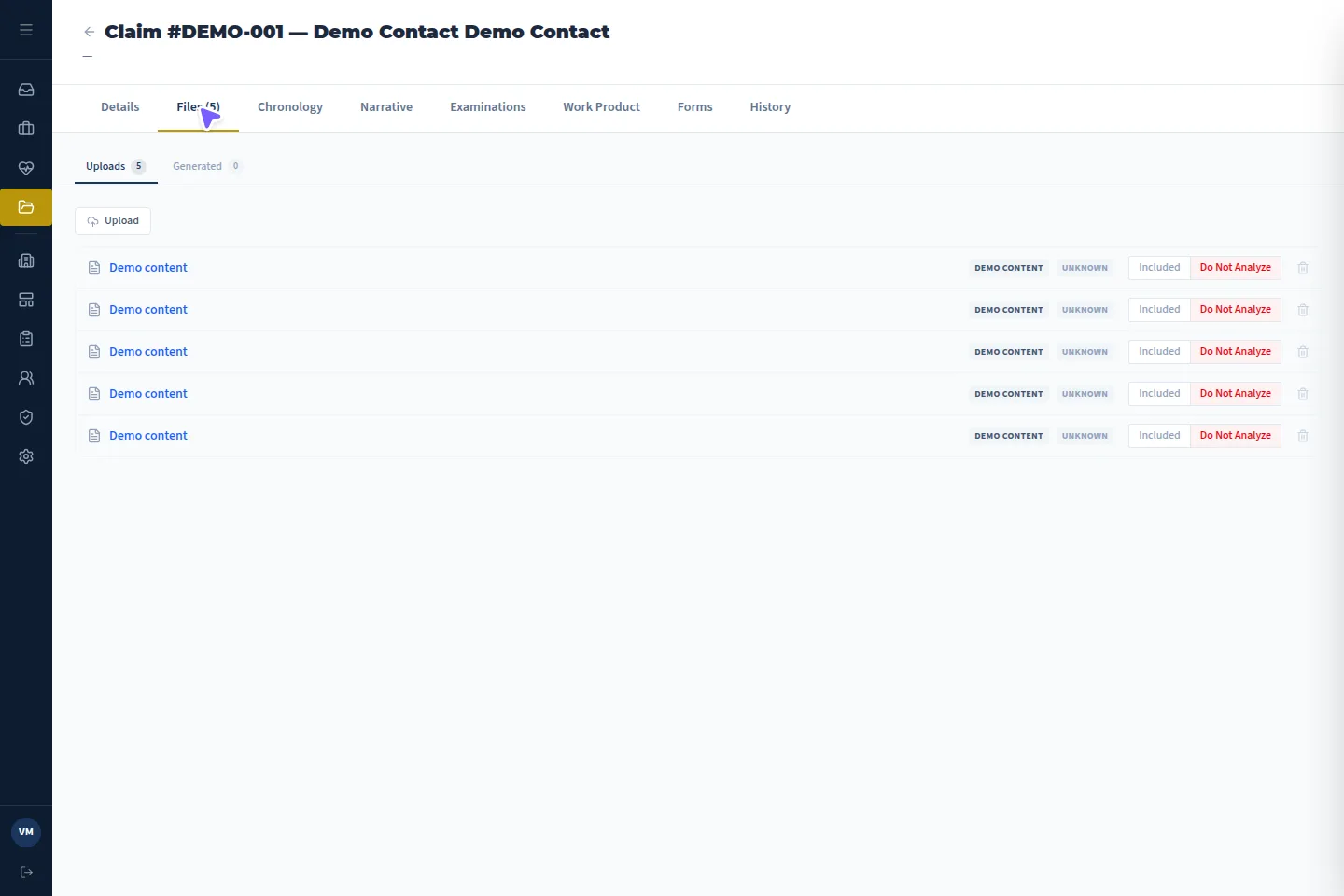
Case files · Actual application · demonstration details
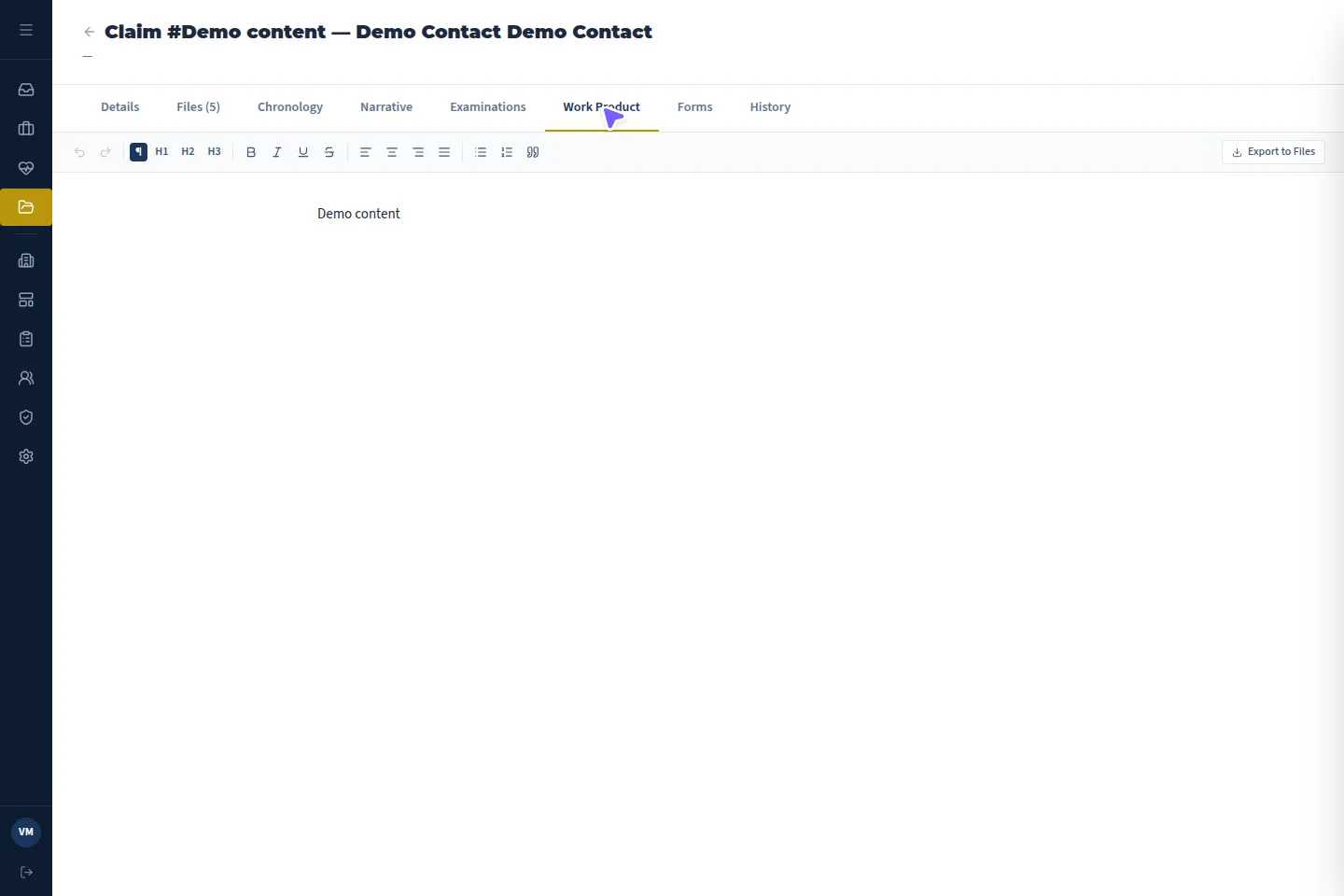
Work Product tab · Actual application · demonstration details
Examination and work product, kept separate
The examination record and the final report are different documents with different audiences. VMx gives each its own editor.
- Start from reusable templates with merge fields drawn from the case.
- Locked template content protects standard language from accidental edits.
- Staff write and edit the examination and work product themselves; AI does not complete the report.
- Export the work product to PDF; the export is retained in Generated files.
A case, end to end
- 01
Lead accepted
Linked case created with its client and patient.
- 02
Case set up
Type, Case # or Claim #, due date, injury details, MD/MA/OC assigned.
- 03
Records gathered
Staff uploads and client upload links land in Files.
- 04
Records analyzed
Eligible PDFs summarized and turned into a chronology.
- 05
Narrative drafted
Summaries synthesized, then reviewed and edited.
- 06
Exam and report
Template-based examination and work product, edited by staff.
- 07
PDF delivered
Work product exported and retained with the case.
04AI document analysis
Reads the medical record. Shows its sources. Leaves the judgment to you.
VMx analyzes the PDFs attached to a case and turns them into structured, checkable material: document summaries, a sourced medical chronology and a draft narrative your team reviews and edits.
- 01
Read
Eligible PDFs attached to the case are analyzed. Text PDFs are read directly; scanned PDFs are read through vision and OCR.
- 02
Summarize
Each document gets a 2 to 4 paragraph summary covering medical history, diagnoses, treatments and current documented condition.
- 03
Extract
A medical chronology of dated events, each tied to a quote and a page in the source file.
- 04
Synthesize
On request, analyzed summaries are combined into a chronological, IME-oriented medical-legal narrative.
- 05
Review
Staff check sources, edit the text and save it to the case. People remain responsible for every conclusion.
What it reads
Clinical and medical-legal documents uploaded to the case as PDFs, digital or scanned. Typical inputs:
- Medical and treatment notes
- Specialist and IME evaluation reports
- Imaging reports (the written report, not the images)
- Lab reports
- Procedure and surgical notes
- Medication records
- Medical-legal supporting records and correspondence
What a chronology entry contains
Every extracted event carries five fields, so a reviewer can go straight from the line to the page.
Date — When the documented event occurred.
Description — What happened, in plain language.
Category — One of eight event types.
Supporting quote — A short verbatim excerpt.
Source page — The page in the PDF where it appears.
Source review, built in
- Open the source document, quote and page behind a chronology entry from the Chronology tab.
- Quote location works on scanned pages as well as text PDFs.
- Source references are produced by the AI. They make checking fast; they still need checking.
- Each PDF keeps its saved analysis with an analyzed timestamp. Reuse it, or reanalyze when needed.
Source documents in Files · Actual application · demonstration details
Work Product editor · Actual application · demonstration details
From summaries to narrative
The narrative combines the document summaries already produced, deduplicates information across records and presents it chronologically for an IME-oriented medical-legal audience. It is a synthesis of analyzed material, not a fresh reading of every file.
- Staff review, edit and save the narrative inside the case.
- AI text polishing works on text you select, and you choose whether to insert or replace it.
- If a polish request fails, your original text is left untouched.
What the AI does not do
- It does not interpret imaging studies or read DICOM files; it reads written reports.
- It does not analyze Word documents, audio or files outside the case.
- It does not write the examination or work product for you; those are template-based and staff-edited.
- It does not make medical, legal or care decisions, and its output is not guaranteed accurate.
- Marking a file Do Not Analyze blocks new analysis; it does not rewrite summaries or narratives already created.
- Nothing runs unattended. Staff start analysis, and people are responsible for what is saved and sent.
05Supporting tools
The tools behind every case.
Forms, templates, roles and the case list are configured once and used across all your work.
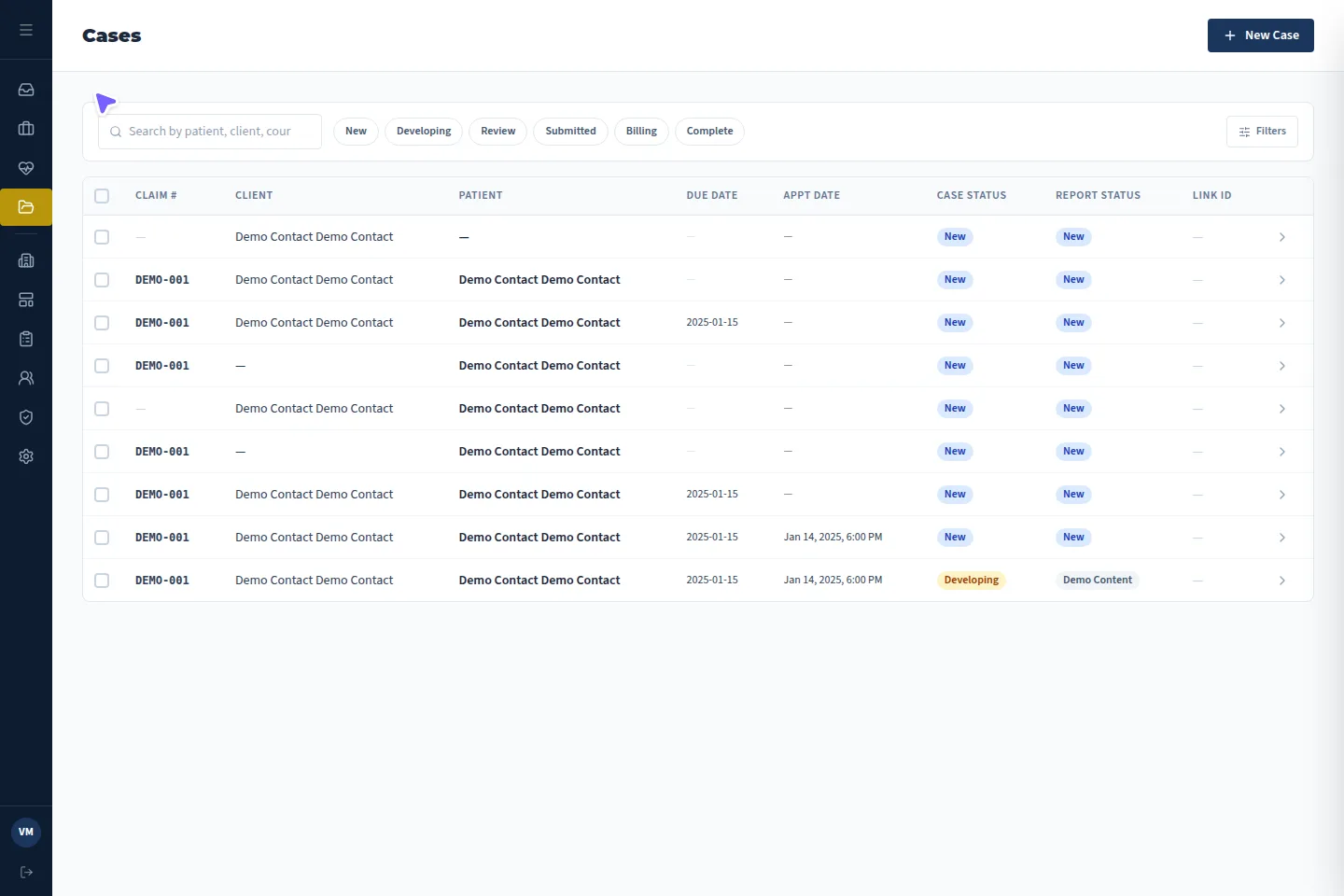
Case list · Actual application · demonstration details
Case list
Filter the caseload by status and date to see what is due and what is waiting.
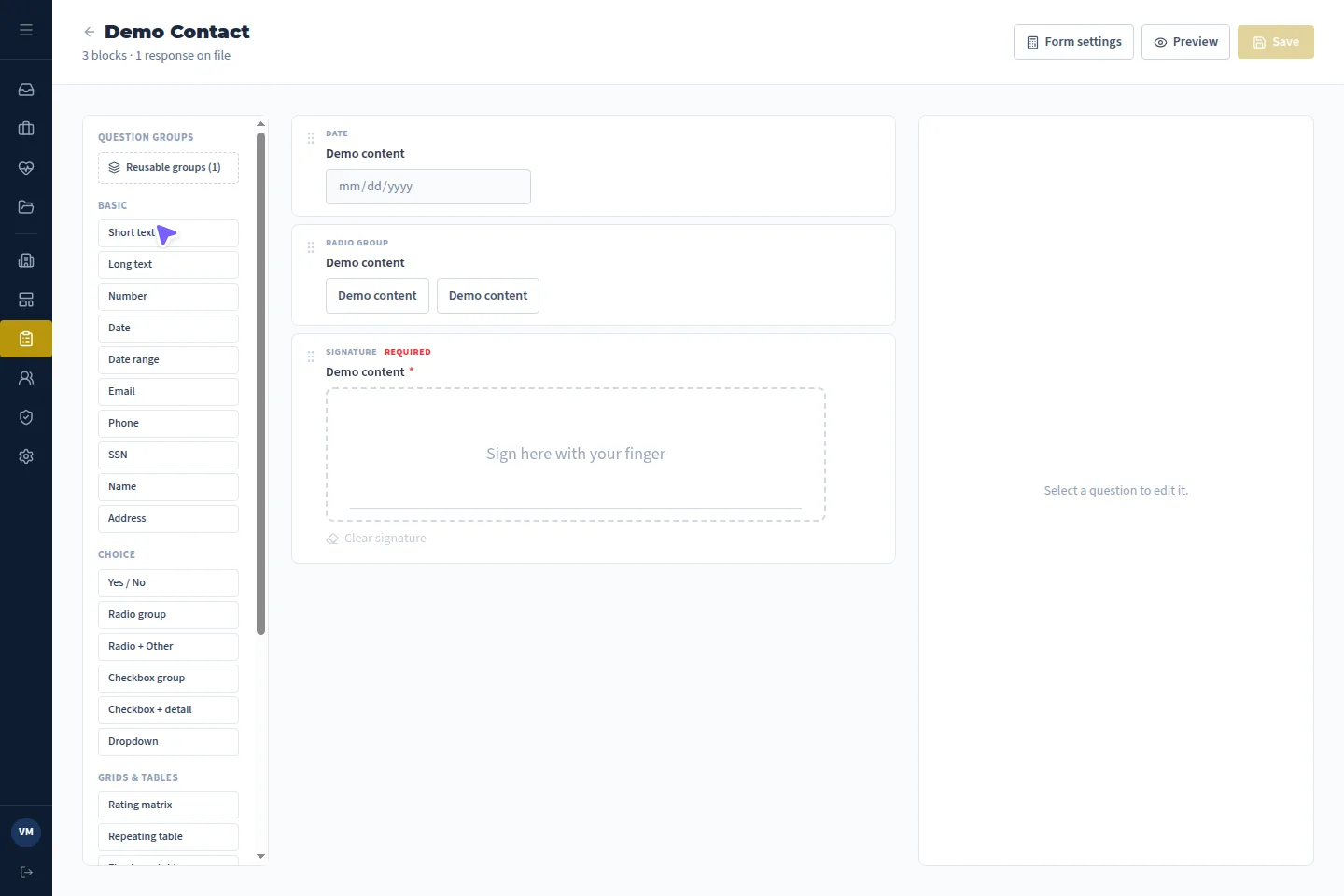
Forms · Actual application · demonstration details
Forms
Build questionnaires with sections and reusable field groups, organize them in folders and attach them to PI or WC cases. Responses autosave, can be signed, and can be reopened with amendment history.
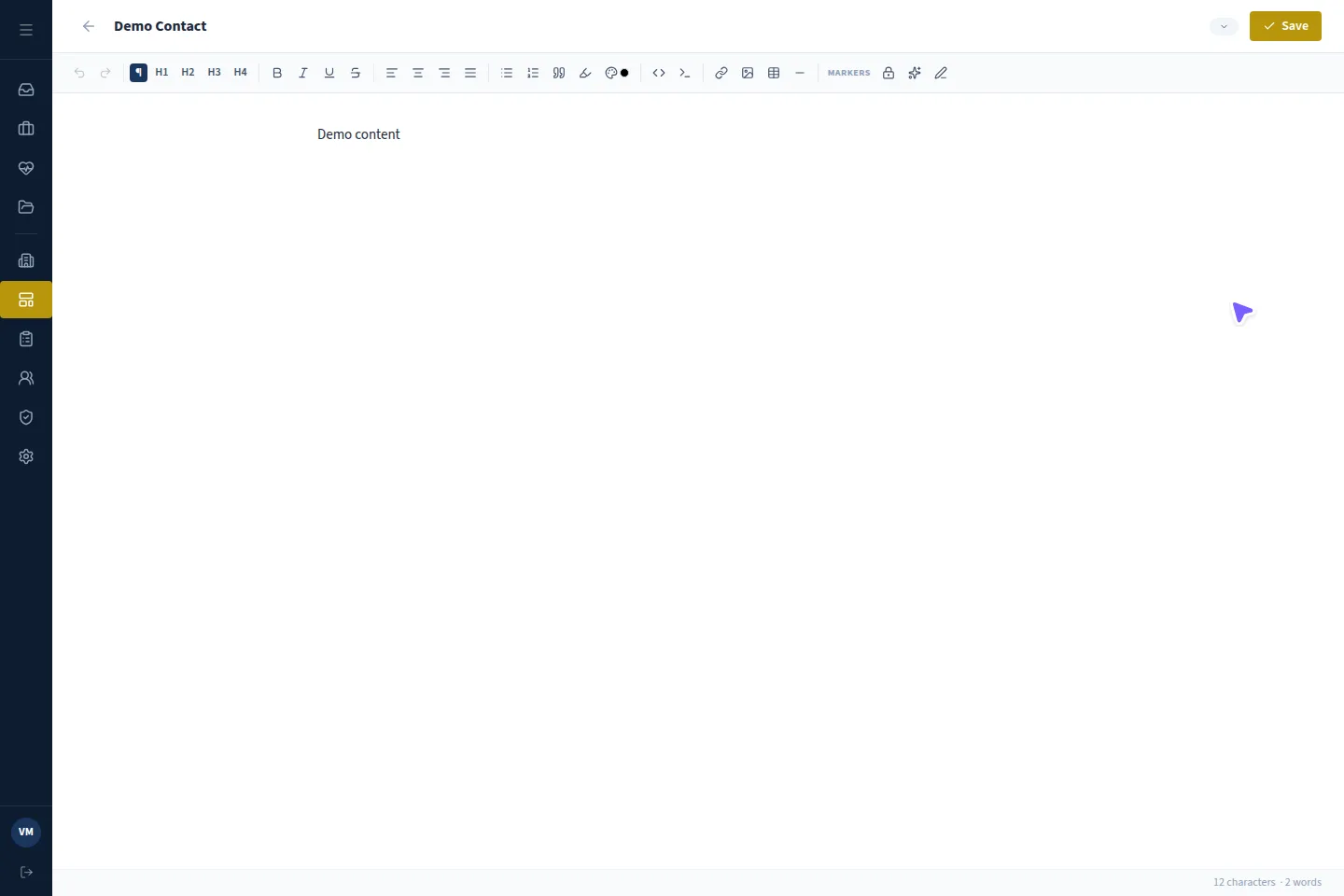
Templates · Actual application · demonstration details
Templates
Reusable examination and report templates with merge fields from the case and locked standard language.
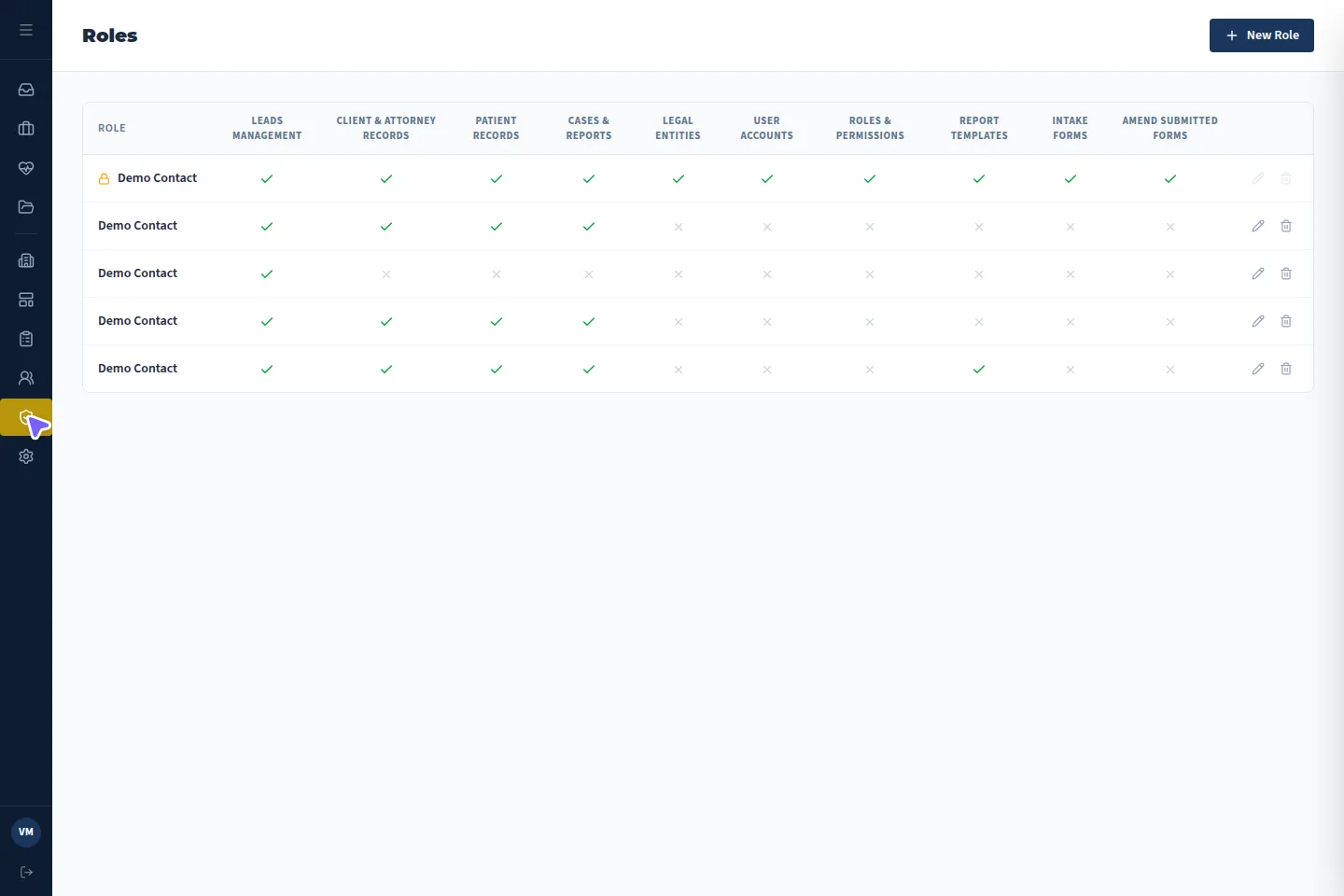
Roles · Actual application · demonstration details
Roles
Roles built from a permission matrix control who can work with leads, cases, patients and clients. The administrator role is protected.
Where the line is
What VMx deliberately does not claim.
- No clinical or legal decisions are made by VMx
- No interpretation of medical images; imaging reports only
- No guaranteed accuracy; AI output is reviewed by people
Want to see it configured for your case types?